

For iPhone & iPad

Guardrails for the modern internet

Stronger internet boundaries for iPhone.

Latch blocks distracting or unsafe destinations across the device, with presets and schedules that stay understandable—the same line you'll see when you first open onboarding.

Preset-first setup, schedules and focus sessions, optional guardian lock, and optional FamilyControls app blocking—word for word from the Latch onboarding checklist.

Latch on iPhone: Home tab with protection status, blocked sites, app shields, and quick actions
Home · Live protection, stats, and quick actions

What the shipping app actually does

Everything here is tied to the current SwiftUI tabs, models, and default configuration—no mock metrics.

Categories you can name out loud
Rules
Eleven built-in groups match the app today: Adult Content, Gambling, Social Media, Short-Form Video, Streaming, Gaming, Messaging, Shopping, AI Chat Tools, News & Forums, and Custom Risk. Each policy can be on or off, Standard or Strict, with its own block message (the factory default is “Blocked by Latch.”).
Home is your control room
Home
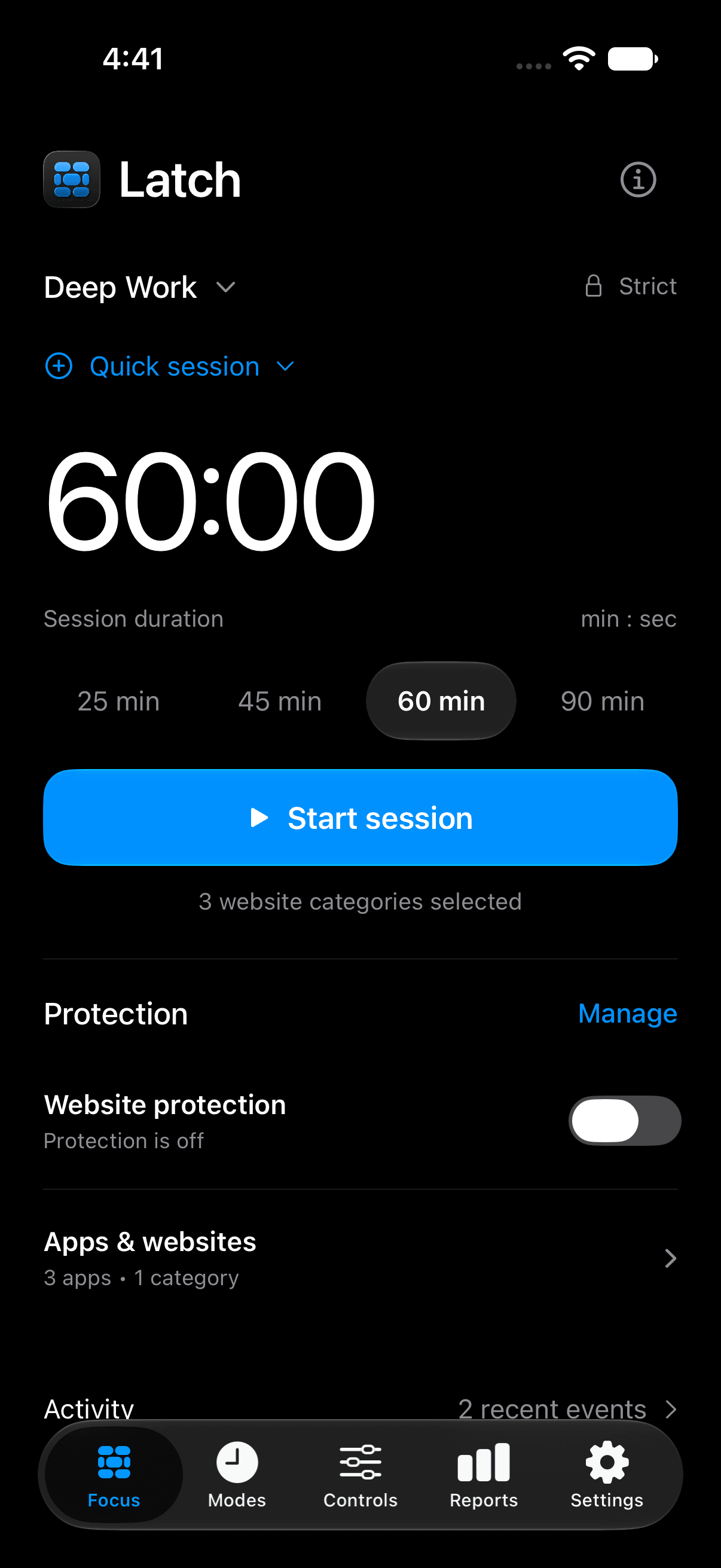
The dashboard shows protection status, how many sites your filters cover, how many App Shields are active, and buttons to turn protection on or off or open Support. Quick Actions start Deep Work or Night Reset; there’s an App Blocking section for FamilyControls pickers; you’ll see which categories are enabled, any active mode summaries, and a Recent Blocks list fed by the network extension.
Profiles, schedules, and starter presets
Setup
Onboarding offers Protect Myself or Set Up for Child or Family, then presets such as Personal, Student, Teen, Family Safe, or Custom—with the same short descriptions you’ll read in the app. Profiles store a preset, blocked categories, permitted domains, and notes. Guardian Lock (PIN plus optional biometrics) protects turning protection off, schedules, profile edits, app blocking, and other sensitive changes.
Reports stay on the device
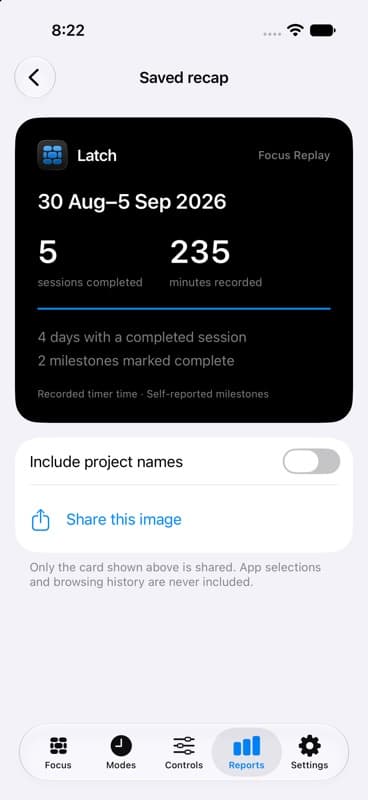
Reports
The Reports tab lists category totals and recent domains with how each block was triggered. The in-app panel states it clearly: “Reports stay local to this device in the current version.” Settings adds custom allow/block domain rules (exact, suffix, or wildcard), upstream DNS configuration (defaults to Cloudflare’s 1.1.1.1 and 1.0.0.1), block-page copy, and per-category switches.

Five tabs, same as the tab bar

Home · Modes · Profiles · Reports · Settings—labels and info banners match what you see after onboarding completes.

Home
Latch
Protection, schedules, and app blocking in one place—stats for Blocked Sites and App Shields, protection controls, focus sessions, app blocking, and recent activity.
Modes
Latch Modes
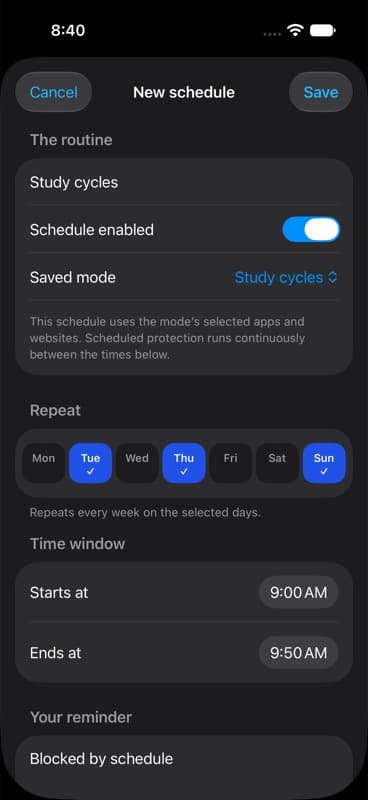
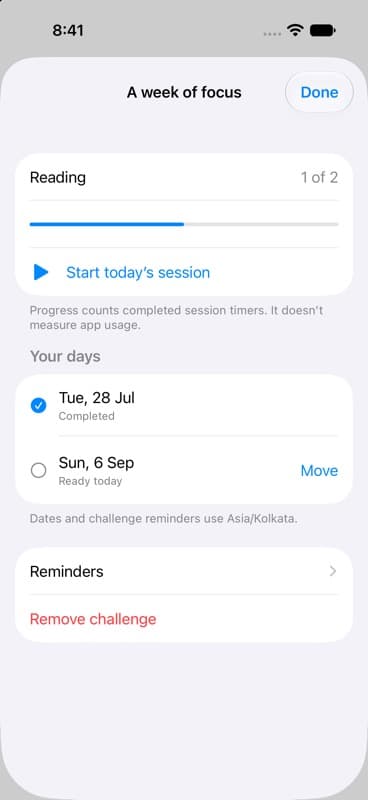
Run focused sessions and recurring schedules with stronger boundaries. Focus Session lists the same starters as the build (Study Lock, Reading Session, plus Home’s Deep Work and Night Reset). Schedules support weekdays, overnight windows, categories, profile targets, and custom block text.
Profiles
Latch Profiles
Shape different protection postures for yourself, school, or family use. Pick the active profile, edit names, presets (Personal, Student, Teen, Family Safe, Custom), blocked categories, and permitted domains.
Reports
Latch Reports
See what Latch blocked across domains and schedules. Category totals and recent domains mirror the live app—and reports remain local to the device today.
Settings
Settings
Guardian Lock, optional Sign in with Apple for a lightweight guardian identity, app blocking controls, DNS resolvers, global block message, custom domain rules, category matrix, and maintenance tools.

Modes: focus timers + recurring schedules

The strings, timers, category bundles, and sample schedules below are lifted straight from the repository.

Timed sessions block the categories you choose until the timer ends. When a session is running, the Modes tab shows the title, time remaining, what categories are blocked, and an option to end the session (guardian auth may apply).

  • Deep WorkHome · Quick Actions. 60 minutes, strict. Blocks Social Media, Short-Form Video, Messaging.
  • Night ResetHome · Quick Actions. 480 minutes (8 hours), strict. Blocks Adult Content, Gambling, Social Media, Short-Form Video.
  • Study LockModes · Focus Session. 90 minutes, strict. Blocks Social Media, Short-Form Video, Gaming, Messaging.
  • Reading SessionModes · Focus Session. 45 minutes, flexible. Blocks Social Media, Messaging, Shopping.

Set up protection once, then adjust anytime

That promise is the welcome headline inside onboarding. Grab the build when it lands on the App Store, approve the system prompt to turn filtering on, and you'll land on the same Home experience described here.